
Top Utah Solar Companies
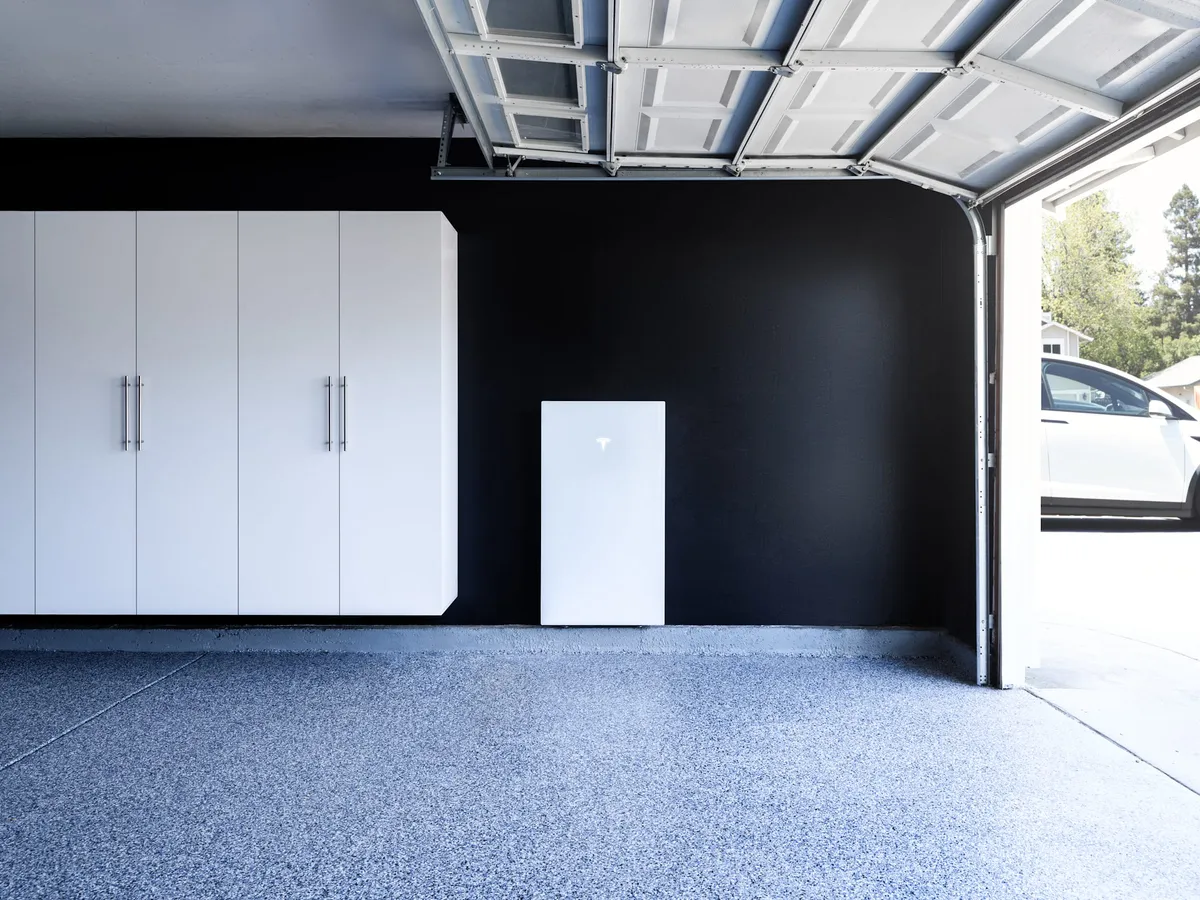
How Do Powerwall Registration, Monitoring, and Homeowner Handoff Work?
Short answer: After Powerwall commissioning, Ask Solar Mike gives the homeowner a commissioning receipt, registration proof, Tesla app monitoring handoff, a homeowner ownership record, a named service-escalation path, and written change-order control . The complete project-file context is in this post-install document guide .
Last reviewed: 2026-10-02. Reviewed by Mike Morris, Founder, Ask Solar Mike .
What should be included in the homeowner handoff?
A useful handoff is not one vague confirmation. Ask Solar Mike provides six separate items that a homeowner can save, review, and use later :
- A commissioning receipt .
- Proof that the system registration was completed .
- A monitoring handoff through the Tesla app .
- A homeowner ownership record .
- A named path for service escalation .
- Written control of project change orders .
These items answer different questions. Keep them together, but do not assume that one item replaces the others. A monitoring screen is useful for day-to-day access; a registration record and ownership record are durable project documents .
Why should you keep the commissioning receipt?
The commissioning receipt is one of the records Ask Solar Mike gives the homeowner after installation . Save the original file rather than relying only on a text thread or a screenshot. Give the file a clear name, place it in the same folder as the rest of the project records, and make a backup that is not tied to one phone.
When you review the receipt, ask a simple question: could a future homeowner or service contact understand which project this document belongs to? If the answer is unclear, request a clarified copy while the handoff is still fresh. The goal is not more paperwork. It is a record you can find when you need it.
What does Powerwall registration proof add?
Registration proof is a separate part of the Ask Solar Mike homeowner handoff . It gives you a record that registration was completed instead of leaving that step as a verbal assurance . Save the proof in its original format and note where the matching ownership record is stored.
Keep registration proof beside, but not in place of, the applicable warranty document . Tesla Powerwall has a 10-year battery manufacturer warranty . The headline term does not replace the need to preserve the actual warranty document and the registration record as separate files .
If the proof is difficult to connect to your project, ask which identifier ties it to your home and system. That is a document-quality question, not a request for a new sales promise.
When is the Tesla app monitoring handoff complete?
Ask Solar Mike includes Tesla app monitoring in the homeowner handoff . For your own acceptance check, treat the handoff as complete only after you can open the app from the account you intend to keep and recognize the system being handed over.
Do that check while help is available. Open the app, confirm that the system is visible, and write down the approved escalation path in your project folder. If an app screen is unclear, ask what you are looking at rather than guessing. The purpose of the handoff is to leave you able to access monitoring and to know where to go if access breaks.
Account hygiene matters too. Use an email account and password-recovery method the homeowner controls. Do not make a temporary device, a disappearing message, or another person’s login the only way to reach the system view. Store recovery information securely rather than inside the public-facing project folder.
Why is the homeowner ownership record separate from the app?
Ask Solar Mike provides a homeowner ownership record in addition to registration proof and the monitoring handoff . Treat the app as the working interface and the ownership record as part of the permanent project file. Keeping both avoids making one screen carry every documentation job.
Store the ownership record with the documents you already have for the property and project. Use a file name that includes the property reference and document type, but avoid putting sensitive personal information in a shared folder name. If the home changes hands later, review what can be shared and remove account credentials prior to transferring any project packet.
What should the service-escalation path tell you?
The Ask Solar Mike handoff includes a named service-escalation path . Save it in two places: inside the project folder and in a contact location you can reach when the app is unavailable. A useful personal note should tell you which path to use first and where any reply or case record will be stored.
Use that path when registration evidence is missing, monitoring access cannot be completed, or the documents do not match the project you received. Describe the issue plainly, attach the relevant record, and preserve the reply with the rest of the file. This keeps the service history attached to the project instead of scattered across devices.
How does written change-order control protect the handoff?
Written change-order control is one of the records included in Ask Solar Mike’s project delivery . At handoff, compare any project change you remember with the written record you received. If something changed but the description is unclear, request a written explanation prior to treating the file as complete.
For each change, keep the signed or acknowledged record with the related project document. Do not rely on memory to explain why the final file differs from an earlier version. A clean paper trail makes the ownership record more useful without asking a future service contact to reconstruct old conversations.
What should Utah homeowners check before filing everything away?
Ask Solar Mike serves homeowners across Utah . Because utility service can vary by address, do not label a project folder from a city-name assumption . In south Utah County, Payson, Spanish Fork, and Salem have municipal power in parts of town, SESD serves other addresses, and some pockets use Rocky Mountain Power; Ask Solar Mike confirms the serving utility as step one . If you have utility-specific correspondence, store it with the ownership record under the actual serving utility’s name.
Keep the final electrical design information you received with the handoff as well. Ask Solar Mike supports homes with 200A and 400A main service panels, while the backup architecture for a particular home is confirmed at site verification and engineering . The Utah Powerwall 3 guide explains the design context . Your permanent file should reflect your home’s actual design, not a generic assumption about another property.
How should you organize the records?
Use one main folder with clearly named subfolders for commissioning, registration, monitoring access notes, ownership, service correspondence, and change orders. Keep original files unchanged. If you add notes, create a separate dated note instead of editing the source document.
Maintain one secure backup outside the phone you use for monitoring. A cloud folder, encrypted local backup, or another storage method can work; the important point is that the only copy should not disappear with one device. Review the folder after any project or account change and remove obsolete access instructions so the current path is obvious.
Frequently asked questions
What happens immediately after Powerwall commissioning?
The homeowner handoff includes a commissioning receipt, registration proof, Tesla app monitoring, an ownership record, a named escalation path, and written change-order control .
Is Tesla app access the same as registration proof?
No. Ask Solar Mike delivers the monitoring handoff and registration proof as separate items . Keep both because they serve different documentation needs.
Does registration proof replace the Powerwall warranty document?
No. Tesla Powerwall has a 10-year battery manufacturer warranty . Preserve the warranty document and registration proof separately .
What if monitoring access stops working after handoff?
Use the named service-escalation path included with the Ask Solar Mike handoff, and keep the resulting correspondence with the project file .
Does the handoff determine whether every load is backed up?
No. Ask Solar Mike supports 200A and 400A service panels, but the backup architecture for each home is determined through site verification and engineering . Use the final design information for your property rather than a general label.

Your Gateway to Global Adventures Await Here.


Quick Links
Home
About Us
Services
Testimonials
FAQ's
Blog
Quick Links
Location: 955 S HOMESTEAD DR, WOODLAND HLS UT 84653
Phone: (385) 312-0904
Email: [email protected]